
Features
Built around how the games actually work
Every feature below exists in Underune 0.1.0 today. Where something has a limit, we say so.
Automatic game detection
Finds your games wherever Steam put them
No hard-coded folders. Underune asks Windows where Steam is, reads Steam's own library list and app manifests, then checks the real files.
- Every library, any drive — including non-default Steam folders.
- Verified, not assumed: executable present,
data.winreadable and matching the game. - Version from the game's own data, plus the Steam build number.
- Rescan Steam any time, or set a location manually with Change….
- Artwork comes from your own Steam cache — never bundled or downloaded.
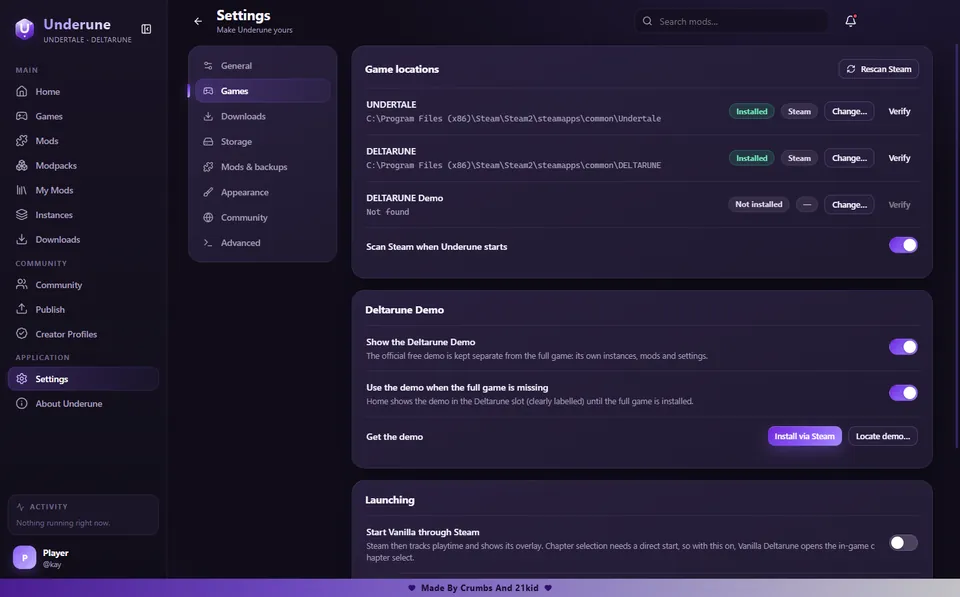 Real screenshot
Files verified, version read.
Folder found, but required files are missing or invalid.
Steam reports the download as incomplete.
Launch and chapter selection stay locked.
Deltarune chapter selection
Start the chapter you want, directly
Underune starts a chapter the same way Deltarune's own chapter select does, so music, saves and returning to the menu work normally. This was verified on the real game.
- Chapters come from the folders on your PC; a broken one is shown as unavailable.
- Chapter titles are read from the game's own text — Underune doesn't invent them.
- Your choice is remembered per instance (and for Vanilla).
- Available from Home, the Games page and every Deltarune instance.
With Start Vanilla through Steam switched on, Steam needs to start the game itself, so Vanilla Deltarune opens the in-game chapter select instead.
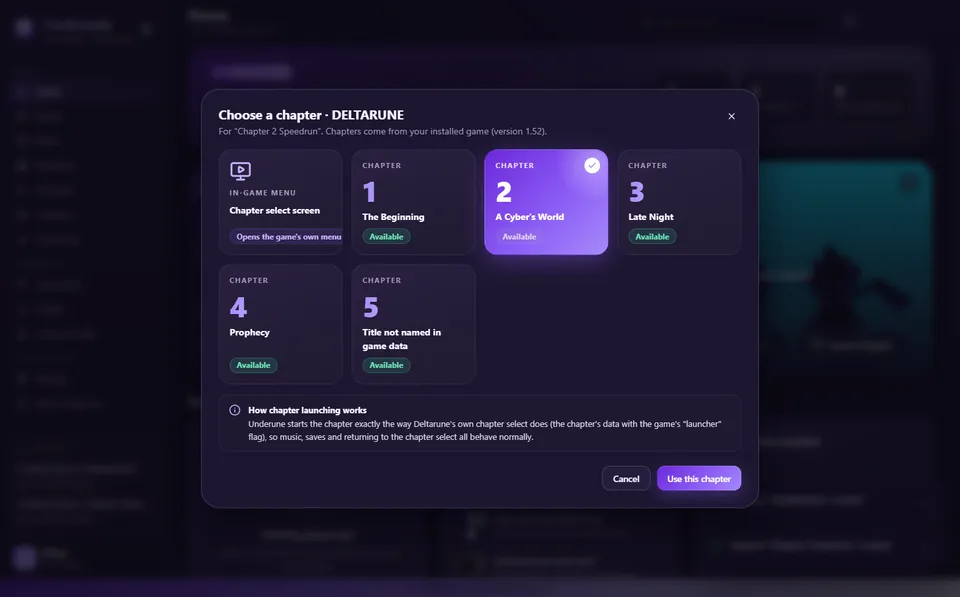 Real screenshot
Deltarune Demo support
No full game? The official demo still works
If Deltarune isn't installed, the section isn't simply locked — Underune offers the official free Deltarune Demo instead.
- Install it through Steam from inside Underune, or locate it manually.
- Detected automatically as its own Steam app and clearly labelled DEMO.
- The chapter selector only lists chapters that the installed demo contains.
- Its own instances, mods and settings — never mixed with the full game.
- Install the full game later and Underune unlocks it automatically.
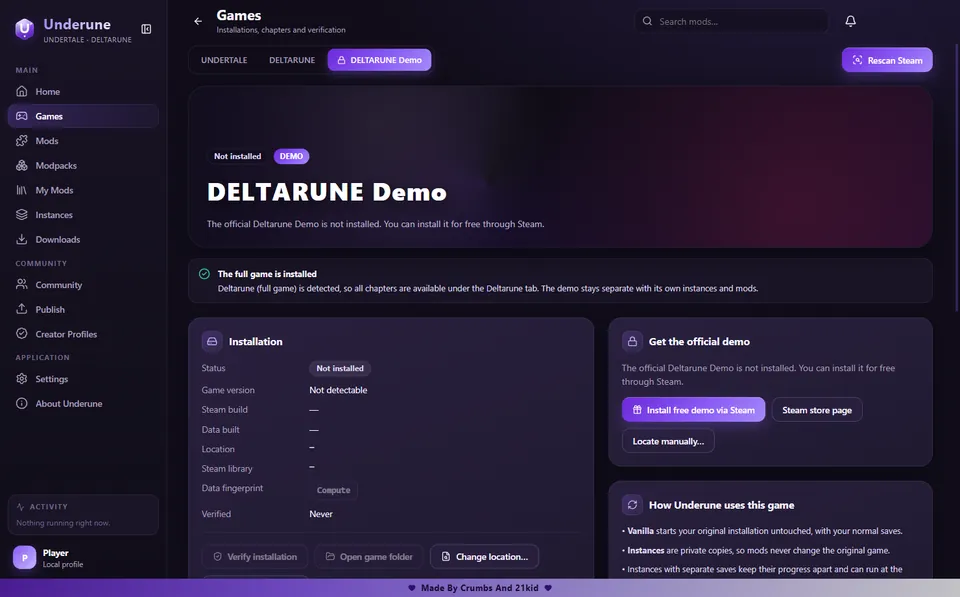 Real screenshot
Instances
A clean copy for every playthrough
An instance is a private copy of the game with its own mods and, if you want, its own saves. The original Steam installation is never changed.
- Create, rename, duplicate, set as default, verify and delete.
- Deltarune: separate saves by redirecting the save folder; several instances can run at once.
- Undertale: separate saves through a journaled save swap; one at a time, with Steam running.
- Running games appear in the sidebar Activity list with a Stop button.
- Busy or running instances are locked against accidental changes.
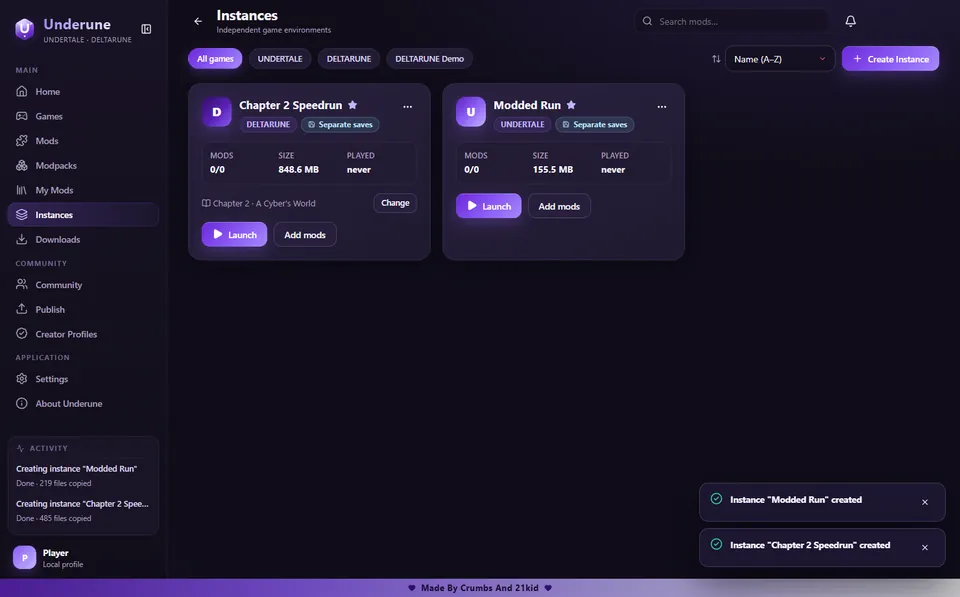 Real screenshot
Mods
Find a mod, press Install. Done.
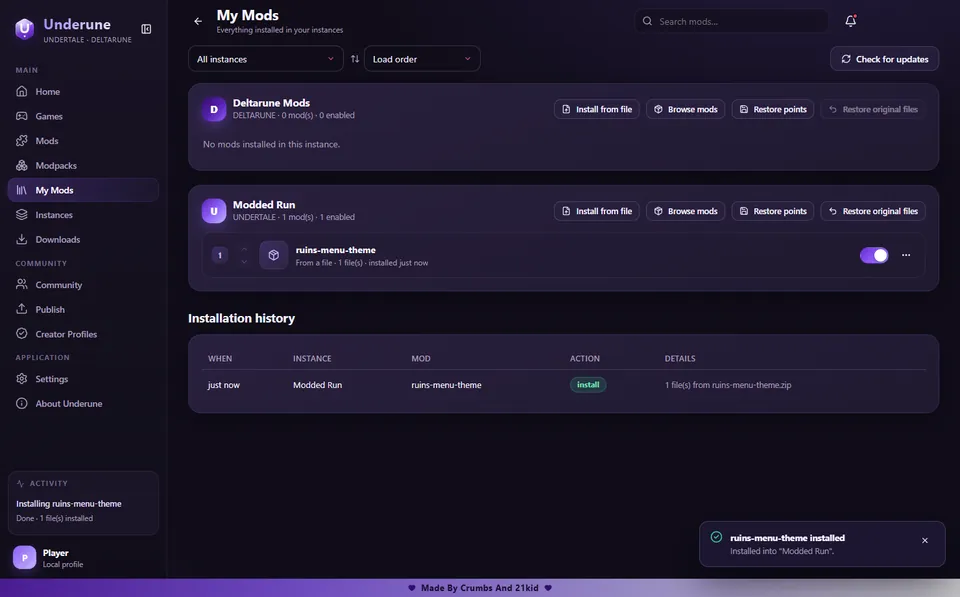
Browse with search, categories and sorting, pick the instance to install into, and Underune handles the rest — including questions like which chapter? before anything changes.
- Sources: GameBanana, Game Jolt, an Underune community server, or a local file.
- Formats: zip, 7z, rar and xdelta patches (matched to the right
data.winby checksum). - My Mods: enable, disable (really restores the original files), load order, updates, reinstall, history.
- Separate rules for each game — an Undertale mod is never assumed to fit Deltarune.
- Executables and scripts inside archives are never installed or run.
 Real screenshot
Modpacks
Many mods, one click, all or nothing
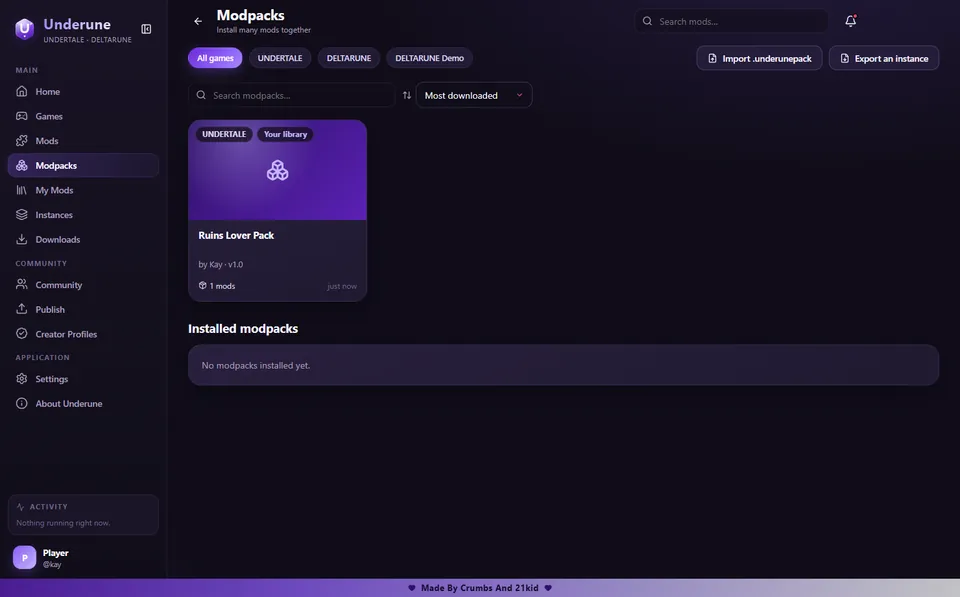
A modpack installs every included mod in order. If any step fails, nothing is left half-installed.
- Install into a new instance or an existing one (a restore point is made first).
- Update or remove installed packs.
- Export any instance as a
.underunepackand import it elsewhere. - Community packs reference published mods instead of re-uploading other people's files.
 Real screenshot
Backups & safety
Three layers between you and a broken game
Original files
The first time a mod changes a file in an instance, the original is stored. Disabling or uninstalling the mod puts it back exactly.
Restore points
Snapshots of an instance's mods, order and settings — made automatically before modpacks and updates, or by hand.
Journals
Multi-step changes are written down first, so if your PC crashes mid-install, Underune repairs it at the next start.
Download manager
Queue with a configurable number of parallel downloads; pause, resume (even after a restart), cancel and automatic retries. A file is only marked complete after its MD5 (GameBanana) or SHA-256 (community) checksum matches. Game Jolt provides no checksums — Underune tells you so and checks the archive after downloading.
Logs & diagnostics
A built-in log viewer with copy and export, a data-folder shortcut and developer mode for troubleshooting. Passwords and tokens are never written to logs.
Community & publishing
Share your own mods
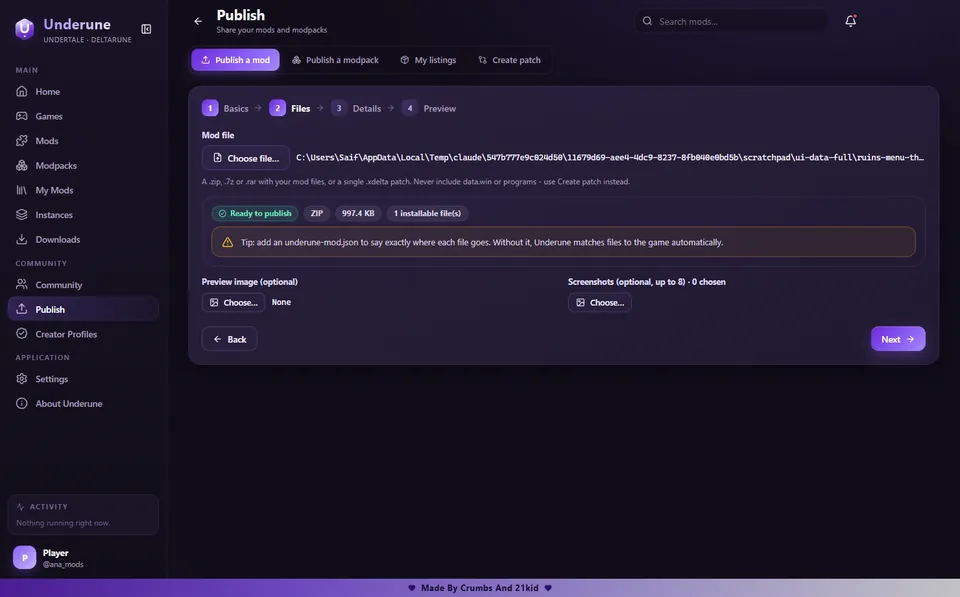
Connect Underune to an Underune community server to browse creators, publish mods through a guided wizard and report problems.
- Uploads are checked instantly: format, size, dangerous files, executables.
- Every submission goes through moderation before it's public.
- Create patch turns your modified
data.wininto an xdelta patch, so you never share game files. - Genuine download counts — no invented followers or badges.
The community needs a server address. No public server is hosted yet; the server software is part of the Underune project.
 Real screenshot
Customisation
Make it yours
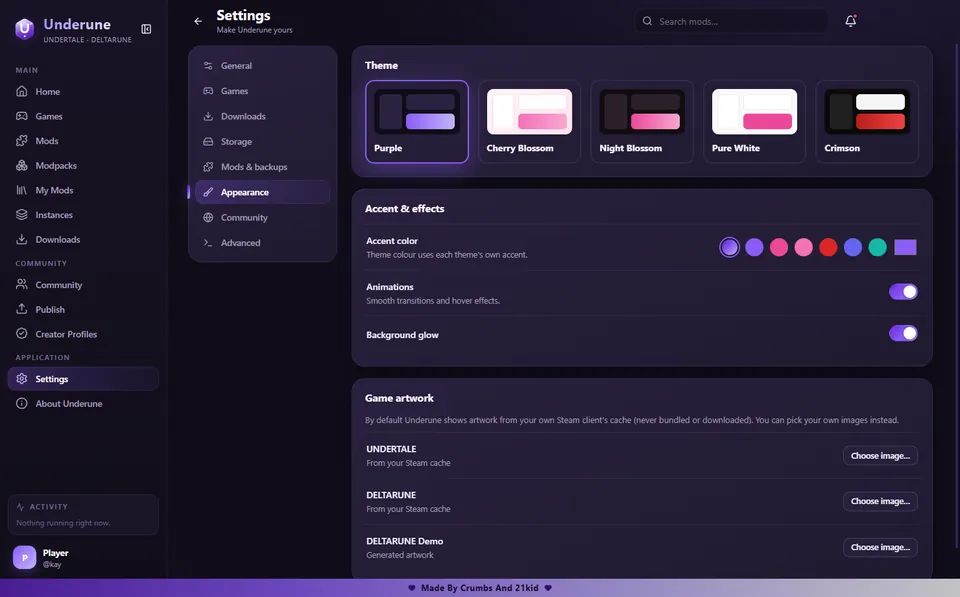
Five themes — Purple (default), Cherry Blossom, Night Blossom, Pure White and Crimson — plus a custom accent colour, switchable animations and background glow, and your own game artwork if you prefer.
- Desktop notifications and an optional system-tray mode.
- Choose what closing the window does.
- Export, import or reset all preferences.
 Real screenshot